AI made building apps cheap. Owning them still isn't.
A coding assistant can build a business app in days. Keeping ten of them secure and up to date for years is the hard part, and that is where AppJars fits.
A year ago, an internal application with users, roles, an approval workflow, a couple of reports and email notifications was a project: a team, a backlog, a few months. Today a developer with a good coding assistant can have a working version in a few days. Sometimes in an afternoon.
That is a real change, and a good one. More of the tools people need get built, by the people who understand the problem best, without waiting for a slot on someone’s roadmap.
But building was never the expensive part of software. The expensive part is the years after the first deploy: the security fix, the framework upgrade, the auditor’s question, the new hire who has to understand how it all works. AI made the first part dramatically cheaper. It did much less for the second.
Building got cheap. Keeping apps alive did not. #
An application that works on the day it ships is a starting point. To stay useful it has to keep running on supported versions of Java, Spring Boot and Vaadin, keep its dependencies free of known vulnerabilities, and keep doing what people expect while it changes underneath them.
That work scales with the amount of code you own, not with how quickly it was written. An assistant that writes thousands of lines in a day hands you thousands of lines to maintain for as long as the application lives. The assistant can help with that maintenance too, but someone still has to notice that a fix is needed, decide which applications it applies to, and review and ship each change.
Ten apps, ten logins #
The problem gets sharper in an organization, because nobody builds just one.
Every business application needs the same foundation: users and roles, an audit trail, outgoing email, translations, runtime settings, scheduled jobs, reports. Ask an assistant to build an app from scratch, and it builds that foundation from scratch too. Ask again next month for a different app, and you get a different foundation. Each one is reasonable on its own. Together they are a problem:
- Ten applications, ten login implementations. Ten password-reset flows, ten ways of storing roles, ten interpretations of who may open which screen.
- Ten approaches to auditing. One logs to a table, one to a file, one only logs errors. When an auditor asks who changed a record in all of them, there is no single answer.
- Ten email senders. Some retry, some don’t. Some keep a history, most don’t.
- Ten places to patch. When a weakness turns up in how sessions, uploads or access rules are handled, someone has to find every copy of that logic, in ten codebases written in ten slightly different ways, and fix each one separately. Or never get to some of them.
None of this is the assistant’s fault. It did what it was asked: build an application. The infrastructure underneath each one was never meant to be different. It just ended up that way, and inconsistent infrastructure is where security problems hide.
Where AppJars fits #
AppJars are production-ready, full-stack modules for Spring Boot and Vaadin applications. Each one brings its own backend services, Vaadin UI and JPA persistence, and you add it as a Maven dependency. Spring Boot auto-configuration registers it, and its tables live under their own prefix, so several AppJars share a schema without collisions. The service layer does not depend on Vaadin, so an application that already has its own UI can use only the backend.
What you get today, in eleven modules:
- Users and access: users, roles and groups; access rules for views and URLs; time-limited invitation and password-reset links; sign-in with Google, GitHub or your own OAuth2 / OpenID Connect provider. That is User Manager, with User Profile for personal details and avatars.
- Auditing: Activity Log captures events from your log stream, with extraction rules, filters and automatic retention.
- Email: Email Manager queues messages in the database, lets you recover failed sends from the UI and keeps the history of what was sent.
- Internationalization: I18N Manager stores languages and translations in the database and lets your team edit them without a redeploy.
- Runtime settings and navigation: Configuration Manager for global and per-user settings with an audit history, and Dynamic Menu for multi-level menus with role-based visibility.
- Scheduled processes: Process Manager runs background jobs on cron expressions, with an execution history and manual triggers.
- Reporting: Data Query turns stored queries into parameter forms, grids, charts, dashboards and printed reports.
- Beyond the foundation: Issue Tracker for projects, workflows and time tracking, and AI Support for an assistant that answers from your own documents.


This does not slow down the way you build with AI. It removes a step:
- Craft generates a runnable Spring Boot and Vaadin 25 project
with the modules you pick already wired in: security, navigation, properties and theme. It takes
a few minutes, and the project includes an
AGENTS.mdthat tells your coding agent how it is put together. Read the Craft announcement. - The AppJars Docs MCP Server lets the assistant search the AppJars documentation while it works, so it configures and extends the modules the documented way instead of guessing property names. Read how to set it up.
Then point the assistant at the part that is actually yours: the domain model, the rules, the screens your users came for. That is where its speed pays off most.
Apps that stay alive #
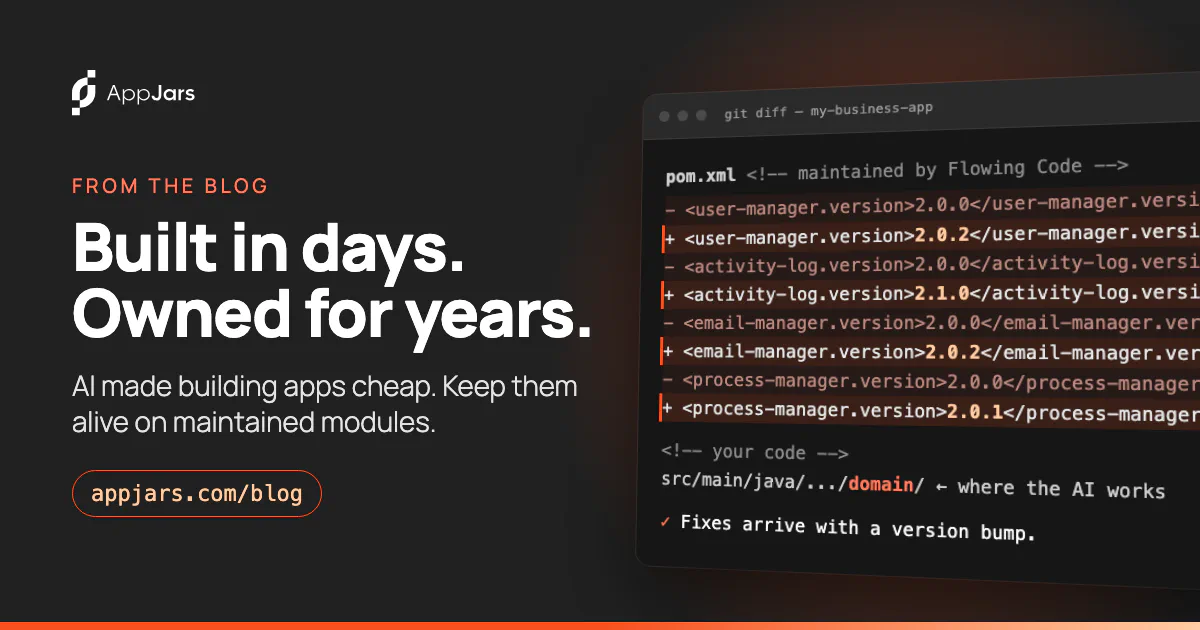
Using a module instead of generating the code changes who maintains it. AppJars are maintained by
Flowing Code. When a module needs a fix, the fix is made once, released, and reaches every
application that uses the module through a version bump in pom.xml.
This is not a promise about the future. You can check what it looked like in practice:
- 15 releases in September. In the first full month after launch, every one of the eleven AppJars shipped at least one release. All of them are on the public release notes, each listing its fixes and the versions of Java, Spring Boot and Vaadin it requires.
- One fix, nine modules. One of those fixes released UI resize listeners when the component that registered them was closed, instead of keeping them around. It shipped in nine modules. An application using several of them got every copy of the fix by changing version numbers, not by hunting for the same bug in its own code.
- Upgrades you can plan. AppJars follow semantic versioning on their public artifacts, as the compatibility policy documents: patch and minor releases leave existing public signatures unchanged, methods added to public interfaces are listed in the release notes, and breaking changes wait for a major release. New interface methods are deliberately abstract, so if your code implements one, the compiler tells you, not production.
- A security process in public. The security page explains how to report a vulnerability, commits to acknowledging every report within five business days, and defines the severity levels. Fixes are issued for the latest release of each AppJar, and advisories are published on that same page. The list is empty so far; when that changes, the entry will say which versions are affected and which one fixes it.
The modules are also code that runs in many applications at once, so a problem found in one of them gets fixed for all of them. Code written for a single app only gets the attention that one team can give it.
Spend your AI budget on what makes you different #
AI is the best thing to happen to the speed of building software in a long time. The question is where to point it.
Every token an assistant spends rebuilding a login screen, an audit log or an email queue is a token not spent on the logic that makes your application worth building, and it leaves behind another copy of infrastructure that someone has to keep secure. Put the foundation on modules that are maintained for you, and let the assistant work on the part nobody else can write.
To try it, open Craft, pick the modules your next application needs and have it running in minutes. Every module works in free mode without a license or an account, with limits that are enough to evaluate it; a license lifts them without changing a line of code. Browse the catalog, read the documentation, or tell us what your organization keeps rebuilding. We read every message.
Keep reading

Introducing Craft: start your next Java app with the parts already written
Craft is a free, browser-based generator that builds a runnable Spring Boot and Vaadin 25 project with the AppJars modules you choose already wired in.
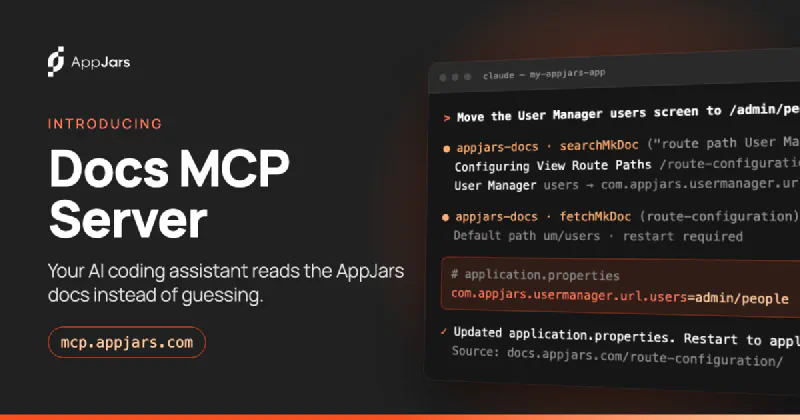
Give your AI coding assistant the AppJars documentation
The AppJars Docs MCP Server lets Claude Code, Cursor, VS Code and other coding assistants search the AppJars documentation while they write your code.