What's new in AppJars: voice notes, embeddable chat, email templates
AI Support 2.2 adds voice notes, an embeddable chat and Anthropic and Gemini models. Email Manager gets templates; I18N Manager checks MessageFormat.
Six AppJars releases shipped on October 20 and 22. Most of them are fixes, but three bring features you will notice the first time you open the application: the AI Support chat now takes voice notes and can be placed on any website, Email Manager has templates, and I18N Manager tells translators when an apostrophe is about to break a message.
| AppJar | Version | In one line |
|---|---|---|
| AI Support | 2.2.0, 2.2.1 | Voice notes, the <ai-support-chat> web component, Anthropic and Gemini models, phone layouts |
| Email Manager | 2.1.0 | Email templates with named placeholders and a live preview |
| I18N Manager | 3.1.0 | MessageFormat analysis while translations are edited |
| Issue Tracker | 2.0.3 | A report by version, and access controls enforced on every view |
| User Profile | 2.0.2 | A reliable redirect to the profile view |


AI Support 2.2: the assistant leaves the application #
Voice notes #
Where the chat offers attachments, users can now record a voice note instead of typing. The recorder shows the elapsed time and the live level of the microphone, and can be paused, discarded or sent.

The note arrives as an audio attachment with its own player. What happens next depends on the model behind the assistant:
- A model that hears audio gets the recording itself, in a format its provider’s API accepts.
- For a model that does not, the system LLM transcribes it, and the model reads the transcript instead. OpenAI LLMs transcribe with OpenAI’s speech-to-text, and Gemini LLMs with their own model.
The transcript is stored with the attachment and shown under the audio on request. It also stands in for the message text wherever that text is read: retrieval from your documents, moderation and the session summary. A question asked out loud is answered from the same knowledge base as a typed one.
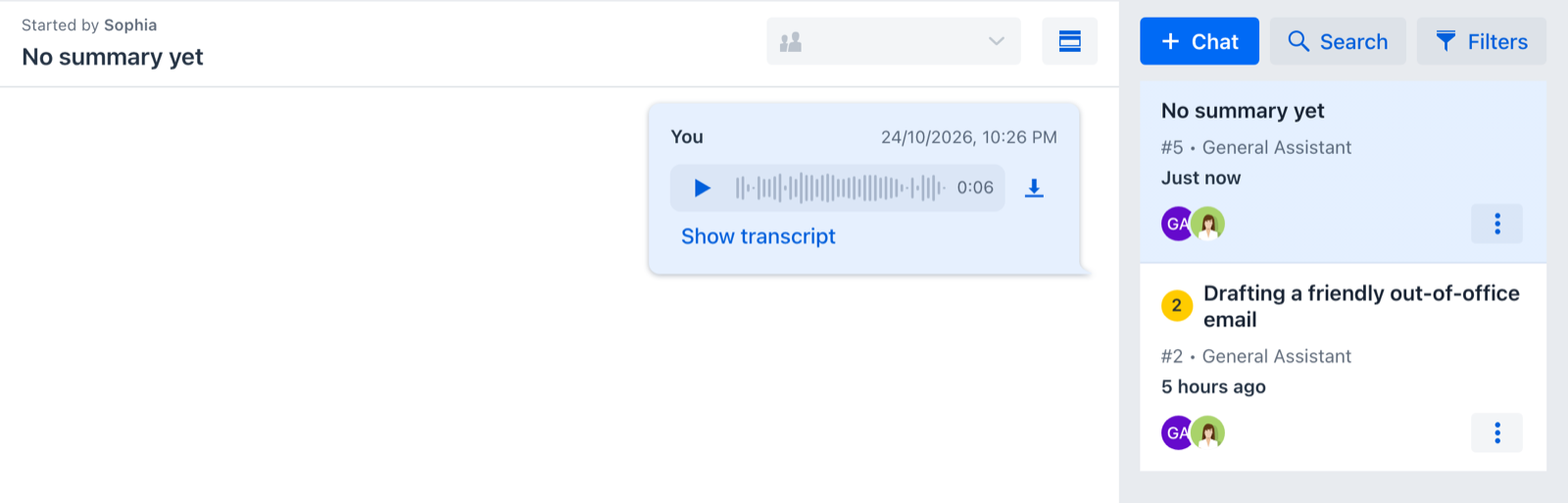
The recorder only appears when the voice note can be used: when the assistant’s model hears audio or the system LLM can transcribe it. The voice notes section of the user guide and the transcription settings have the details.
An embeddable chat for any website #
The chat bubble is now also published as a web component, <ai-support-chat>. Put it on any
site, including a static marketing page that has nothing to do with Vaadin, and its visitors talk
to an assistant while your team answers them from the application like any other conversation.
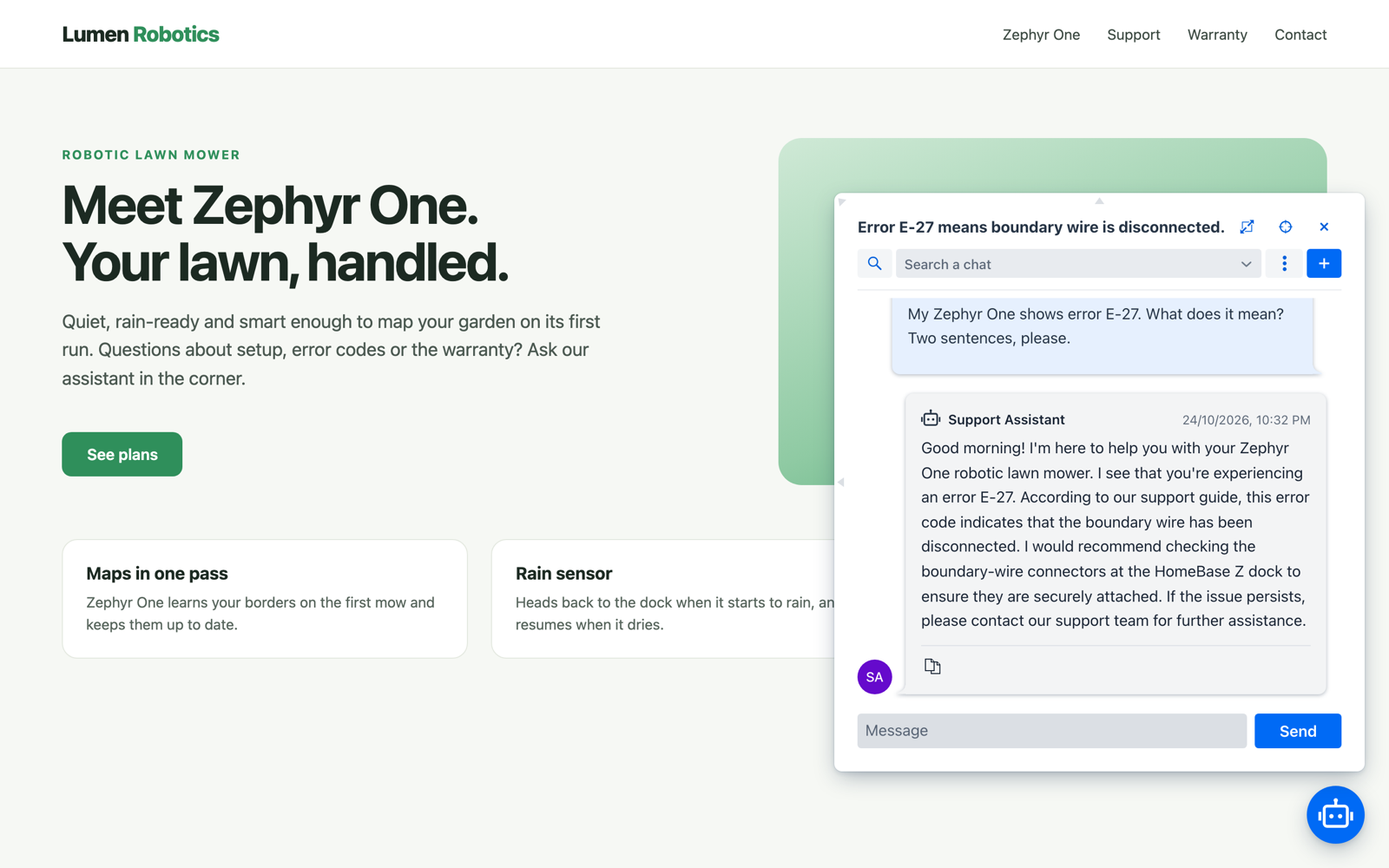
Each embedding site gets a web channel in the channels view, which ties the site’s address to an assistant. Only sites with an enabled web channel can load the chat, and turning the channel off takes the chat off the site. On the page itself it is two lines:
<ai-support-chat language="en" context="Pricing - https://example.com/pricing/"></ai-support-chat>
<script type="module" src="https://chat.example.com/web-component/ai-support-chat.js"></script>
A few things that matter once it is live:
- Visitors are anonymous. Each browser gets its own cookie and appears as
visitor-plus a short hash. - The page tells the assistant where the visitor is.
contextgoes with every message, and a single-page application can update it as it navigates. - It follows the page. The chat is built in the page’s language, can be dragged to another
corner (and remembers it), works inside a shadow root, switches to a dark theme with
theme="dark", and can be restyled through Lumo’s CSS custom properties. - It has limits. Messages per visitor, per network address and per day are capped, optional features such as attachments start switched off, and old visitor sessions can be purged on a schedule.
The chat is served from a host on the site’s own domain, such as chat.example.com for
example.com, that answers only the web component. The
embedded chat guide
walks through the host, the security configuration, the channel and the page.
Anthropic and Gemini, next to OpenAI and Ollama #
AI Support now talks to Anthropic and Gemini models as well as OpenAI, OpenAI-compatible servers and Ollama.
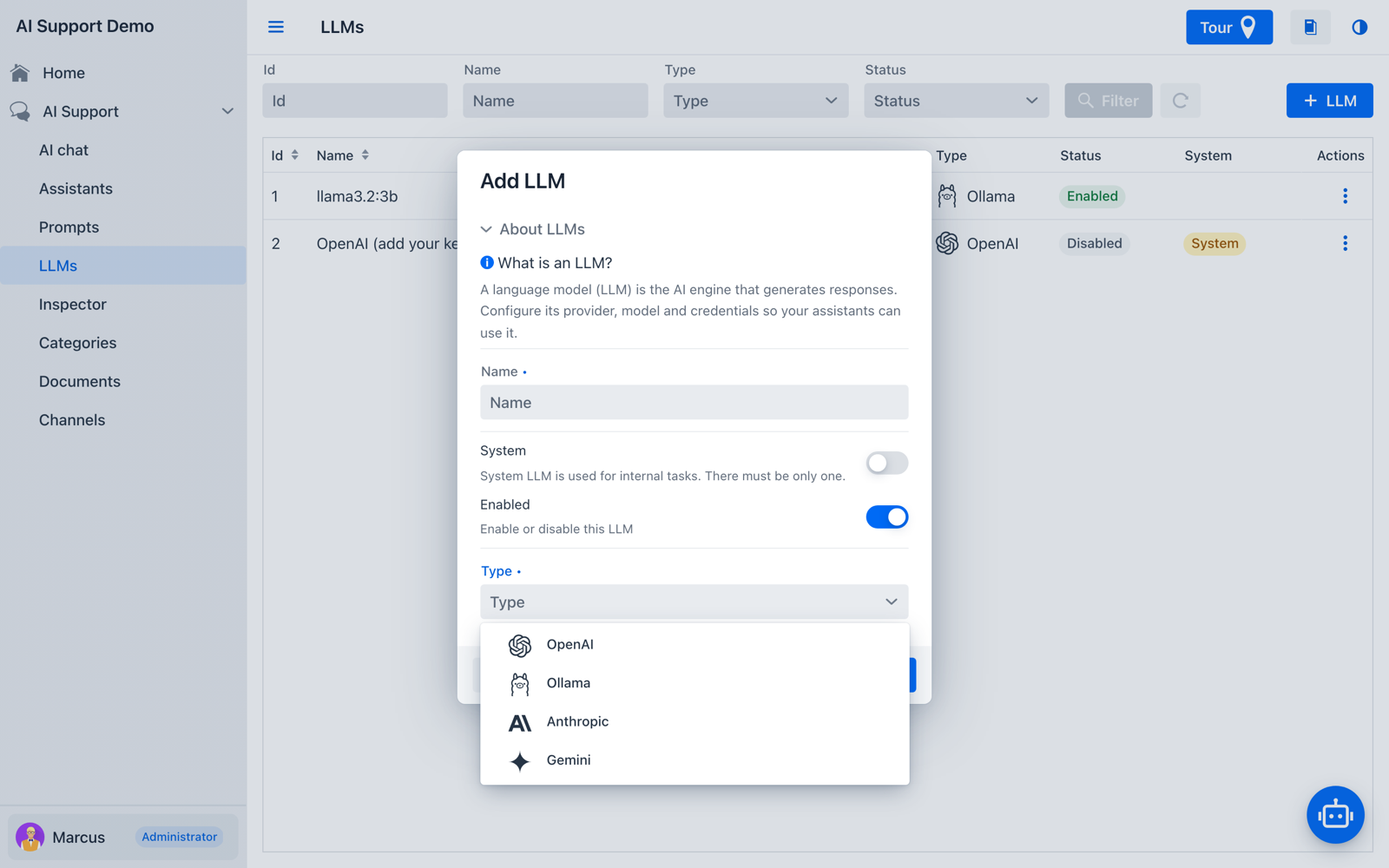
Each LLM now stores the content types its model accepts, prefilled from a built-in model catalog and editable in the form, so the chat only offers the attachments the model can use. An attachment the model does not take is sent as its text (long PDFs included), or as a note when it has no text. The form also has a Test button that checks the configuration before you save it.
The rest of 2.2 is worth a read in the release notes: Markdown, CSV and Excel attachments, attachments fitted to a token budget, a 25,000-token memory by default, private messages kept out of answers everybody sees, channel types of your own, and summaries generated in batches.
2.2.1: at home on a phone #
2.2.0 reworked the administration views for small screens. 2.2.1 finishes the job. The phone’s Back button now closes an AI Support dialog or the bubble’s mobile window before it leaves the page, and returns to the session list from an open conversation. The chat view and the inspector keep the pane you asked for when you follow a link or rotate the phone, and notifications stretch across the screen. It also fixes a session switched to manual mode being taken back by the assistant when a new message was recorded.
Email Manager 2.1: templates #
A template is a reusable subject and body with named placeholders, kept in the database and
applied to a new email from the compose form. Templates have their own view, at em/templates.
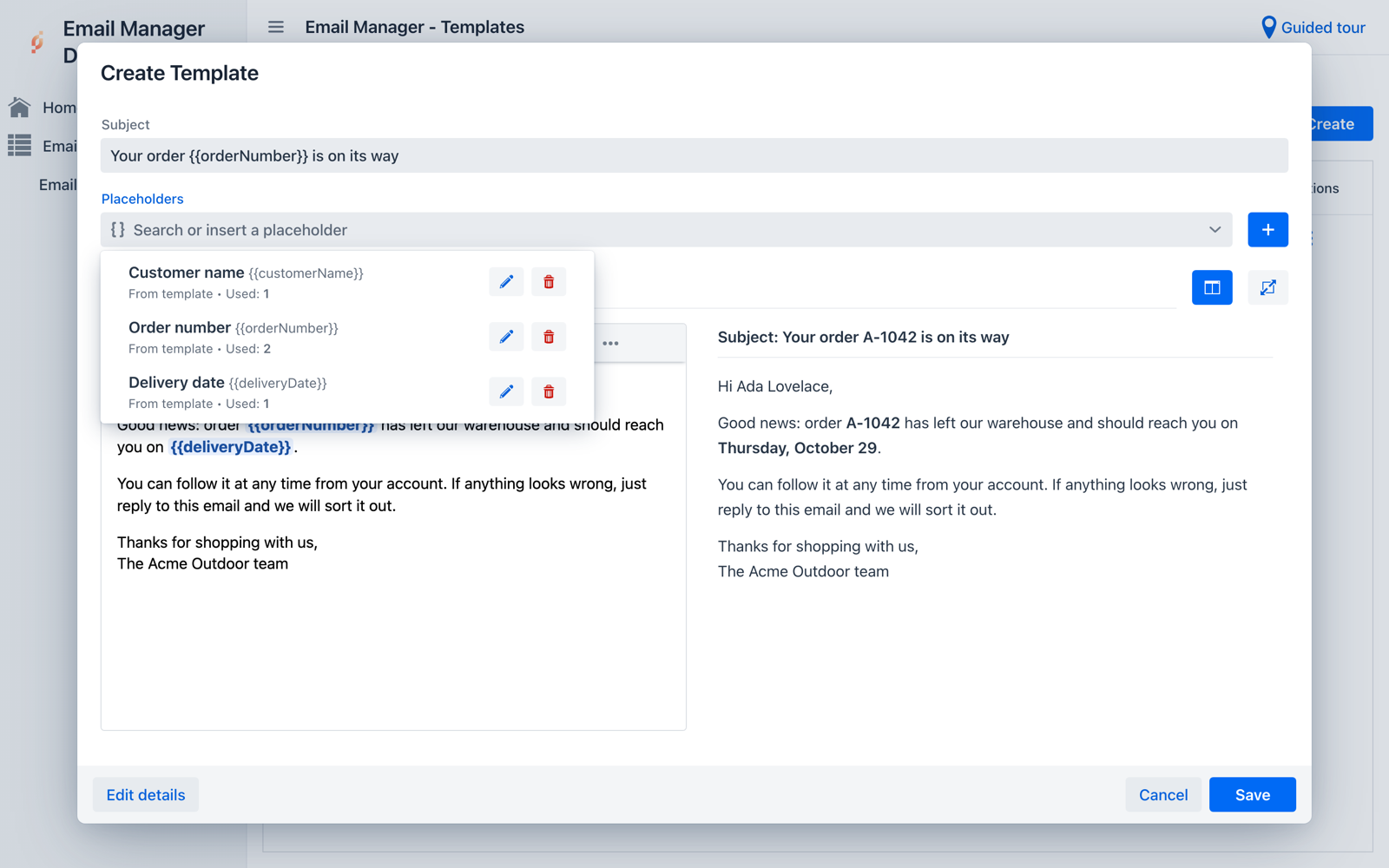
What the editor gives you:
- A WYSIWYG editor and the HTML source, with placeholders written
{{name}}and shown as chips that cannot be half-edited. - A placeholder palette listing every name the template declares or uses, with a label, a sample value and how many times it appears. A name used but not declared is pointed out.
- A live preview, next to the editor or in its own tab, rendered with the sample values.
- Language variants: when composing, the best variant for the user’s language is offered.
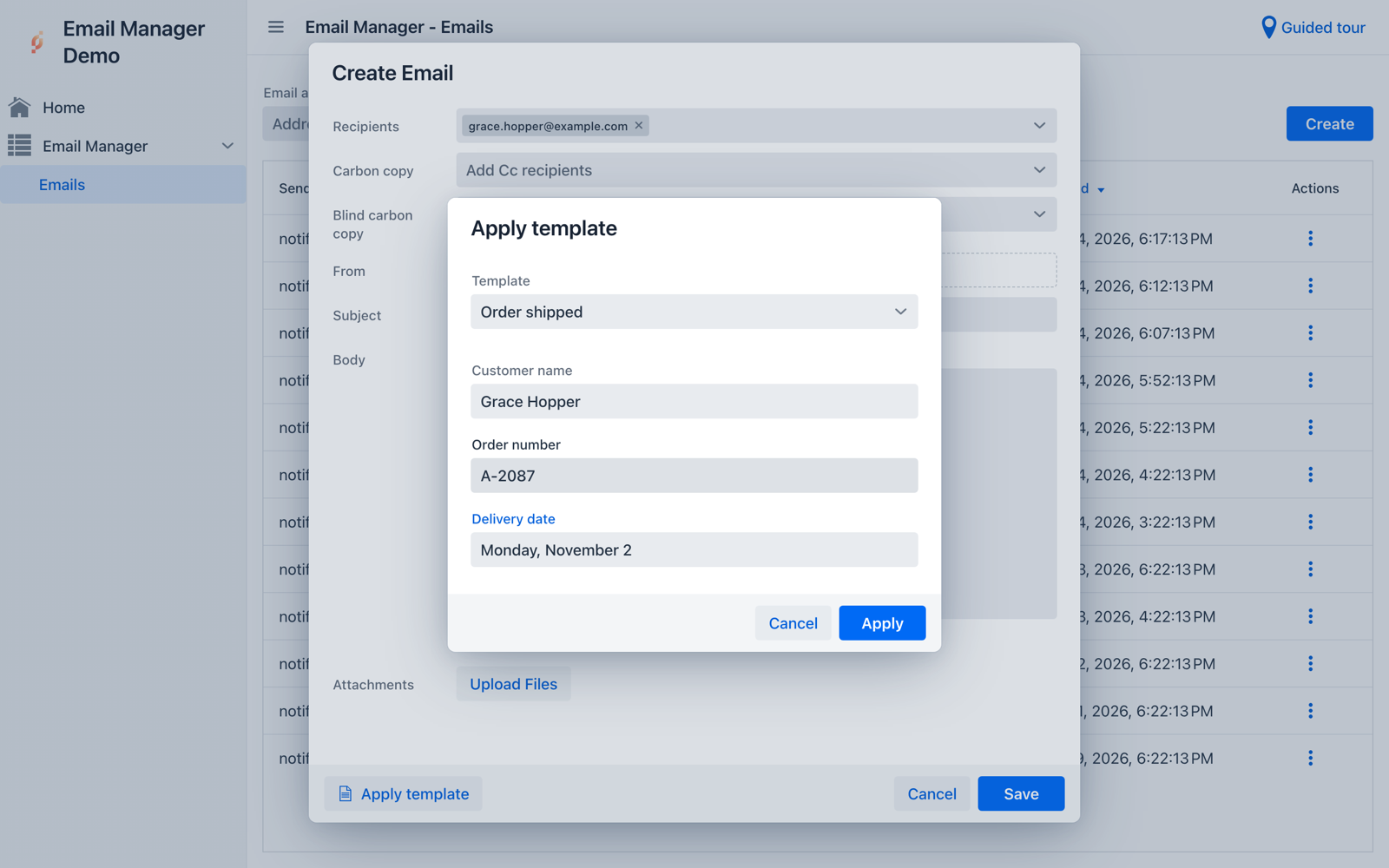
In the compose form, Apply template asks for a value for each placeholder and fills the subject, the body and the HTML flag. The email keeps no reference to the template, so editing the template later never changes an email already written.
Applications can offer their own placeholder names in every template’s palette by publishing
PlaceholderCatalog beans:
@Component
class CustomerPlaceholders implements PlaceholderCatalog {

  @Override public String getGroupName() {
    return "Customer";
  }

  @Override public List<PlaceholderDefinition> getPlaceholders() {
    return List.of(new PlaceholderDefinition("customerName", "Customer name", "Ada Lovelace"));
  }
}
Code can render a template too, with TemplateService.toEmail(template, values, from, recipients).
The release is backwards compatible: EmailDto, EmailService and the EmailCrudView
constructor are unchanged, and an application that ignores templates only gets two new tables. One
thing to check: the editor’s JavaScript is served from your application’s /assets/ path, so a
custom Spring Security configuration has to permit it. See the
template guide and the
developer guide.
I18N Manager 3.1: MessageFormat without surprises #
Vaadin formats translations that have placeholders with Java’s MessageFormat, and MessageFormat
treats a single apostrophe as the start of quoted text. Don't delete {0} files therefore renders
as Dont delete {0} files, with the placeholder never replaced, and nothing reports it.
I18N Manager now analyzes each value as it is typed, in the grid editor and in the create dialog. A malformed pattern or a value that is too long is an error, a lone apostrophe in a value with placeholders is a warning, and a doubled apostrophe in a value without placeholders is a hint.
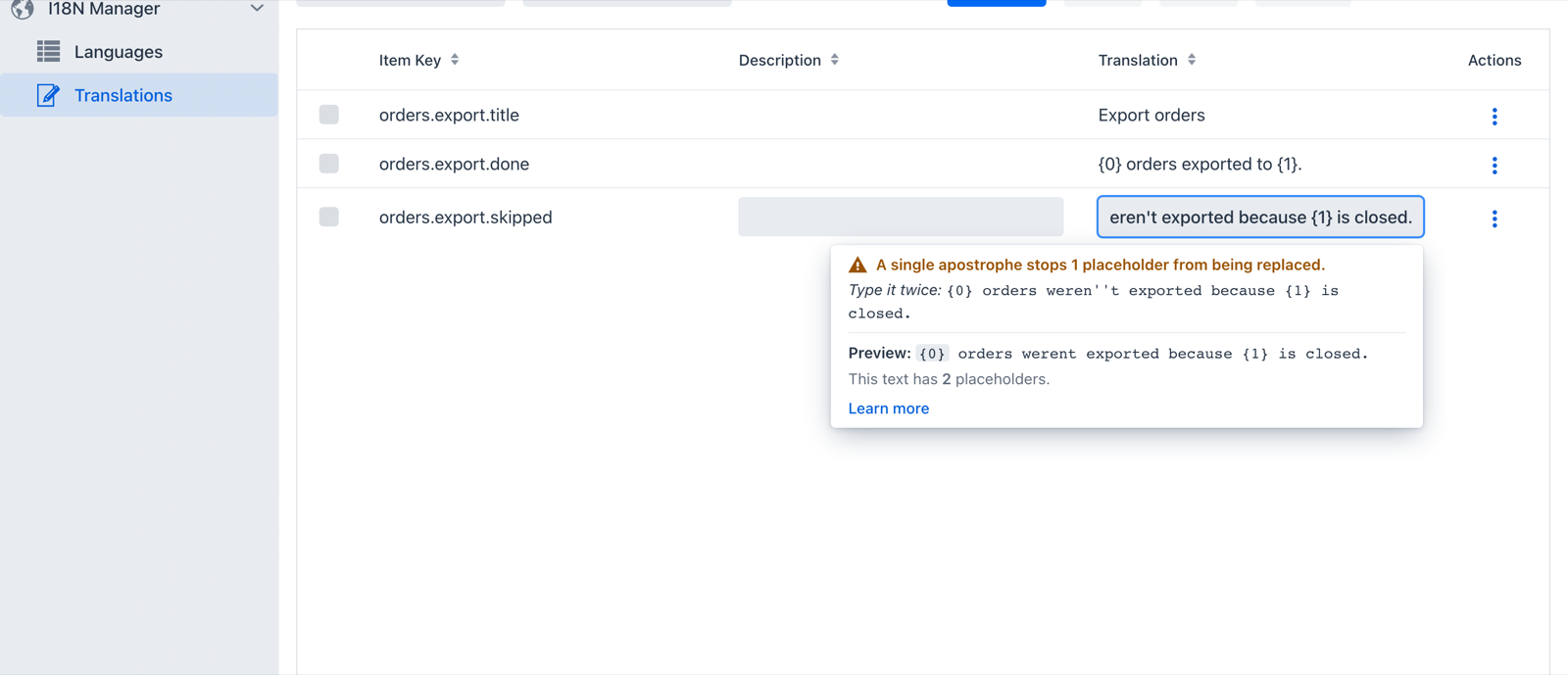
The feedback counts how many placeholders the apostrophe hides, suggests the corrected text,
and shows a preview with sample values. Learn more opens a short dialog with the four
rules a translator needs, each with what is typed and how it is shown. Its examples are computed by
MessageFormat itself, so they cannot drift from the real behavior. The
translation items guide
covers it.
Issue Tracker 2.0.3 and User Profile 2.0.2 #
Issue Tracker 2.0.3 adds a report by version, scoped to the project’s active members and counting unassigned and group assignees. It also enforces access controls on every view: parent project choices only list projects where the user may add subprojects, project creation requires the global permission, and version actions are hidden on inactive projects. Saved issue queries keep user filters again, and the settings view is registered at its configured path.
User Profile 2.0.2 makes the redirect to the profile view reliable for users who do not have a profile yet. The redirect is now decided once, when the UI starts, and runs before access control, which removes the console errors some dialogs and lists logged on the first navigation.
Upgrading #
Each release is a version bump in your pom.xml:
<appjars.ai-support.version>2.2.1</appjars.ai-support.version>
<appjars.email-manager.version>2.1.0</appjars.email-manager.version>
<appjars.i18n-manager.version>3.1.0</appjars.i18n-manager.version>
<appjars.issue-tracker.version>2.0.3</appjars.issue-tracker.version>
<appjars.user-profile.version>2.0.2</appjars.user-profile.version>
All five require Java 21, Spring Boot 4.x and Vaadin 25.2 for the UI layer. AI Support 2.2 needs appjars-utils 2.1.0; the others need 2.0.3.
AI Support is the one with homework. A database created by an earlier version keeps check
constraints that ddl-auto=update never removes, so run the four SQL statements in the
2.2.0 release notes once before
creating an Anthropic or Gemini LLM, a web channel or a channel of your own type. Also note that
the memory budget now defaults to 25,000 tokens; set appjars.aisupport.memory.max-tokens to
10000 to keep the old size. The compatibility policy
explains what minor and patch releases may change.
Every module also works in free mode, without a license, so you can try all of this before you buy anything. Start a new project with the modules already wired in at Craft, read the full release notes, or tell us what you would like to see next.
Keep reading
AI made building apps cheap. Owning them still isn't.
A coding assistant can build a business app in days. Keeping ten of them secure and up to date for years is the hard part, and that is where AppJars fits.
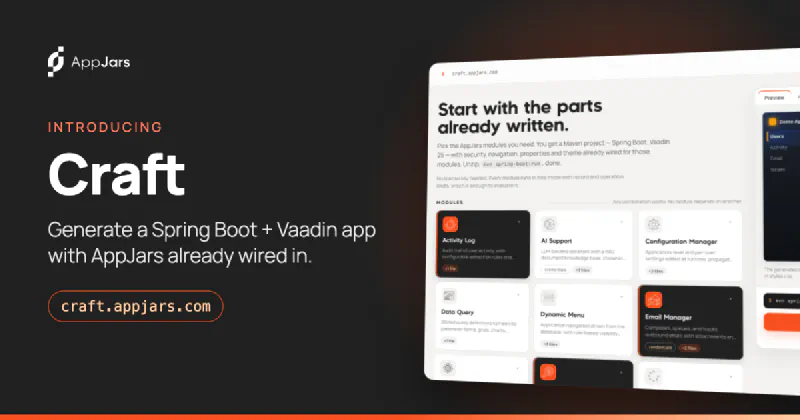
Introducing Craft: start your next Java app with the parts already written
Craft is a free, browser-based generator that builds a runnable Spring Boot and Vaadin 25 project with the AppJars modules you choose already wired in.
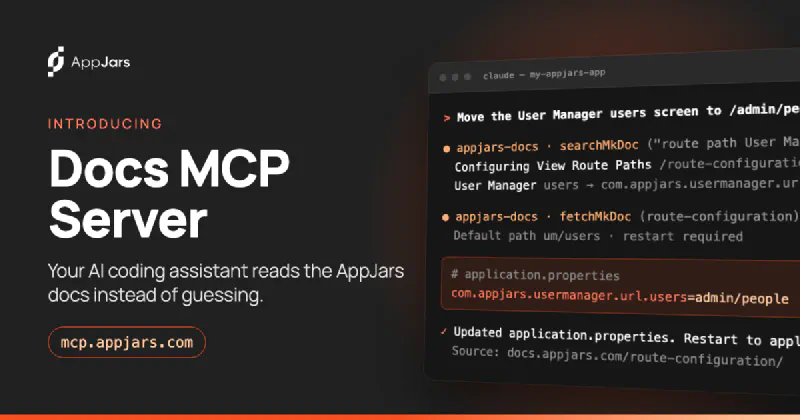
Give your AI coding assistant the AppJars documentation
The AppJars Docs MCP Server lets Claude Code, Cursor, VS Code and other coding assistants search the AppJars documentation while they write your code.