
Dynamic Menu
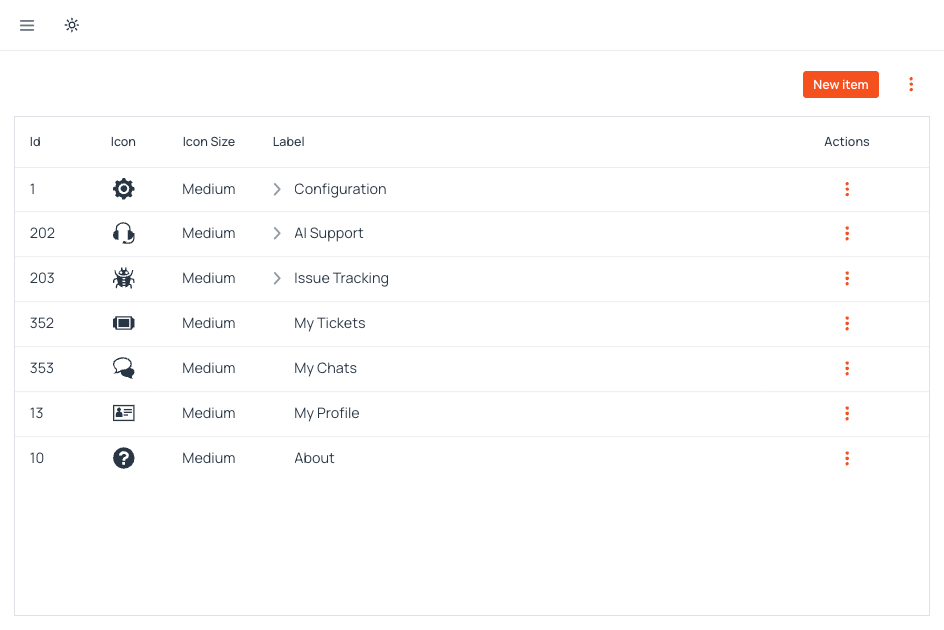
Build flexible, multi-level navigation structures that adapt in real-time to your users' needs. Define menu hierarchies and items programmatically or via configuration, and automatically filter visibility based on granular security permissions. Ensure every user sees exactly what they are supposed to access, without hardcoding menu layouts.
View PricingFeatures designed to decouple navigation structure from your codebase.
Runtime Structure Definition
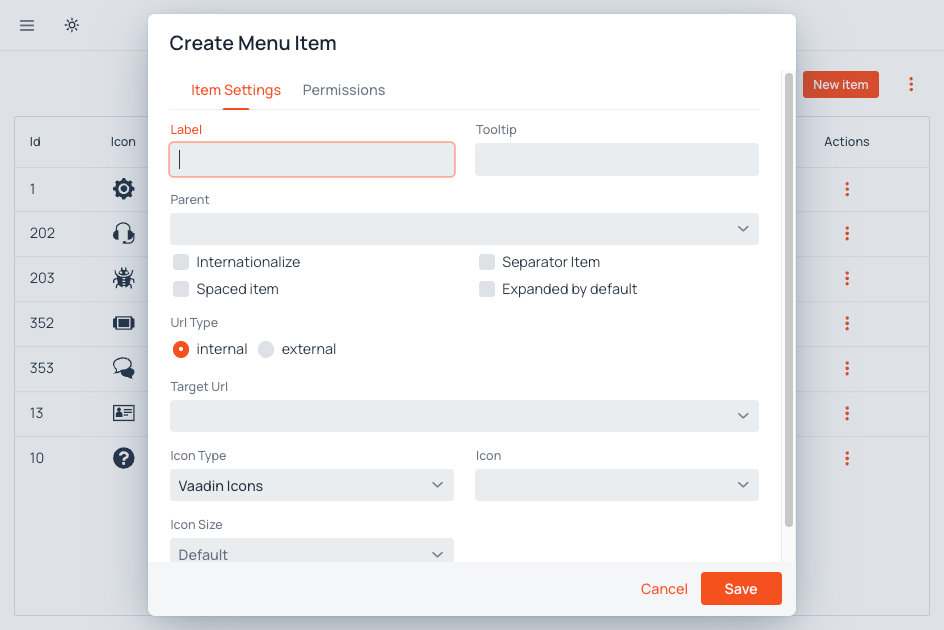
Define and reorganize your application's navigation tree on the fly. Add new menu items or modify hierarchy levels without stopping the server or redeploying code.
Granular Permission Control
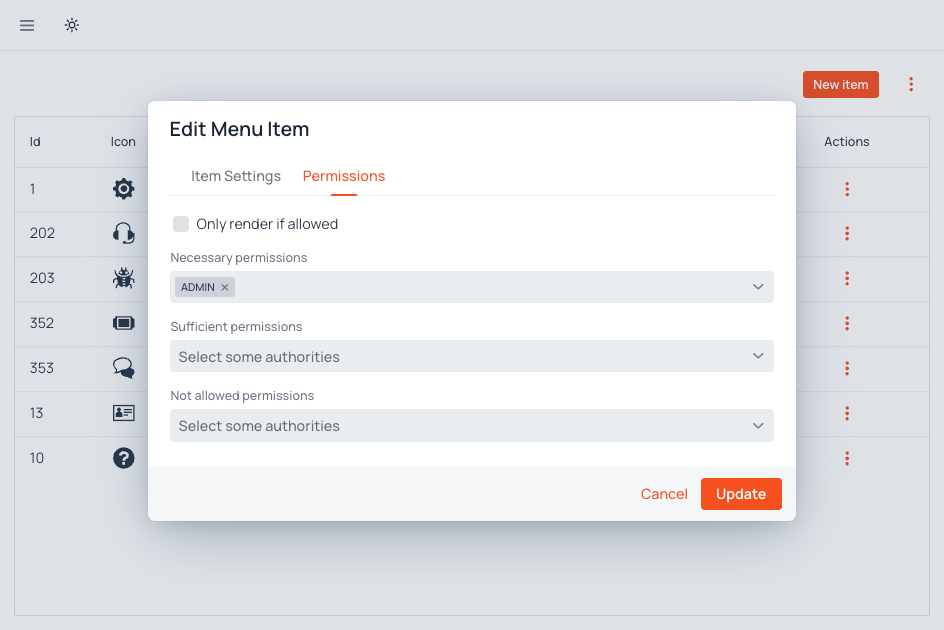
Automatically show or hide menu items based on the current user's roles and permissions, ensuring users only see what they are authorized to access.
Unlimited Multi-Level Hierarchy
Create deep navigation structures with unlimited nesting levels, suitable for complex enterprise applications with hundreds of views.
Multilingual Labels
Fully integrated with internationalization. Menu labels adapt dynamically to the user's preferred language without requiring redeployments.
Flexible Target Resolution
Support both internal application routes and external URLs, managed transparently through a single unified interface.
Navigation that adapts to security. Build complex, permission-based menu structures without writing a line of code.
Technical profile
Technical compatibility
Last verified: August 30, 2026
View PricingCurrent requirements and integration details, verified against the product documentation.
| Requirement | Supported value | Integration notes | Documentation |
|---|---|---|---|
| Java | 21 | Runtime baseline for the current AppJars release. | Technical requirements |
| Vaadin | 25.2 | UI framework baseline for the current AppJars release. | Technical requirements |
| Spring Boot | 4.1 | Application framework baseline for the current AppJars release. | Technical requirements |
| Navigation model | Hierarchical tree with internal routes and external URLs | Menu entries can be nested and reordered, with destinations ranging from parameterized Vaadin routes to external links. | Menu structure |
| Visibility controls | Route access rules or explicit role constraints | Each item can follow the application's route security or apply required-all, required-any and excluded role sets. | Visibility |
| Authority integration | DynamicMenuAuthorityUtils | The host exposes its available roles and anonymous authority to the permissions editor and rendering pipeline. | Authority integration |
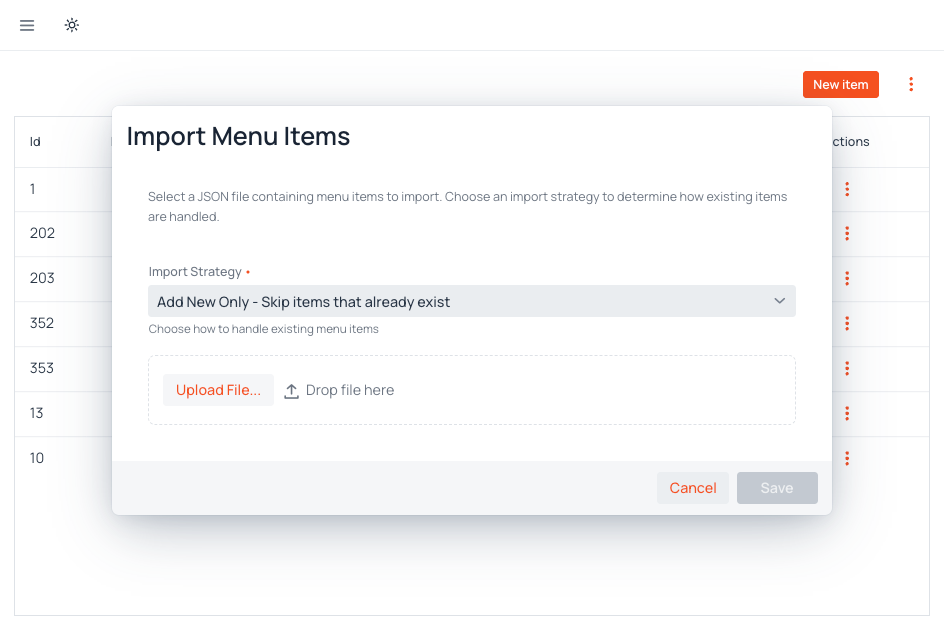
| Configuration portability | JSON import and export | Move complete menu trees between environments with their constraints, route parameters and merge strategy. | Import and export |
Explore further:


Pricing
Per application, billed annually. Every plan includes the commercial license and a perpetual right to the last release covered by your subscription.
Core
Dynamic Menu drives your application's navigation from the database, with role-based visibility, drag-and-drop ordering, and runtime edits with no redeploy. Core includes the Commercial License for one Permitted Application and every update released during your one-year subscription, with perpetual rights to the last covered release. Best when your team integrates from the documentation.
- Unlimited Users & Developers
- Unlimited Environments & Deployments
- Offline license checking
Startup
Dynamic Menu drives application navigation from the database, with role-based visibility, drag-and-drop ordering, and runtime edits with no redeploy. Startup adds the Customer Portal and its AI documentation assistant, plus ten Support Hours per year for help with menu hierarchies, layouts, and navigation integration.
Everything from Core, plus:
- Access to support portal
- AI Documentation Assistant
- 10 support hours included
Enterprise
Dynamic Menu drives application navigation from the database, with role-based visibility, drag-and-drop ordering, and runtime edits with no redeploy. Enterprise includes everything in Startup, eighty Support Hours per year, and issue escalation directly to engineering. Pick this tier when navigation is a high-traffic surface of your product.
Everything from Startup, plus:
- 80 support hours instead of 10
- Issue escalation for bug reports